![logo-Clare-white-TM.png]](https://www.clarecontrols.com/hs-fs/hubfs/logo-Clare-white-TM.png?height=40&name=logo-Clare-white-TM.png)
Auto updates
The ClareOne panel can be configured to automatically update when not armed.
Note: This feature is off by default.
To enable auto updates on the ClareOne panel:
- Access the panel’s Installer Settings (Settings > Installer Settings).
- Tap System Update, and then toggle Auto Update On.
To enable auto updates in FusionPro:
- Access the account in FusionPro.
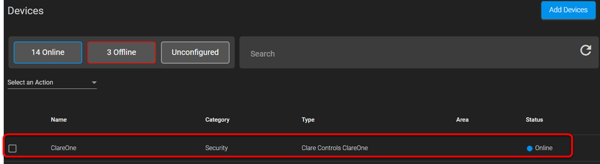
- Click the Devices tab, and then click the ClareOne panel’s row.
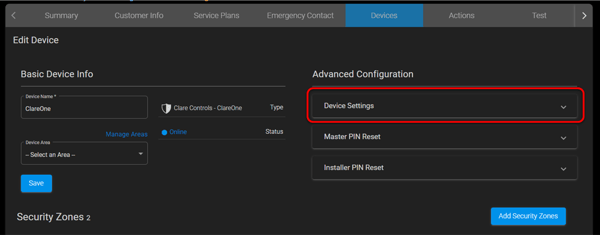
- Click to expand Device Settings.
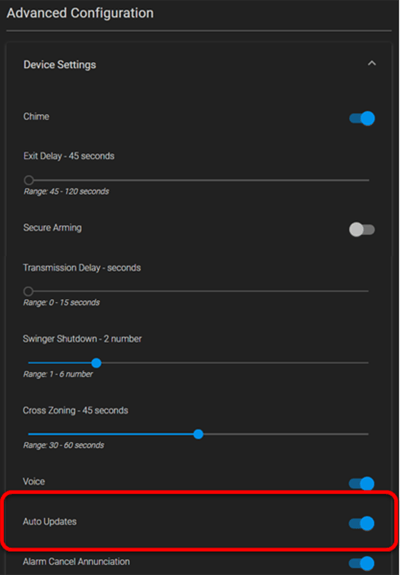
- Scroll to view Auto Updates, and then enable/disable as desired.
Last Updated: 06/03/2021