![logo-Clare-white-TM.png]](https://www.clarecontrols.com/hs-fs/hubfs/logo-Clare-white-TM.png?height=40&name=logo-Clare-white-TM.png)
Introduction
The ClareOne panel supports custom zone names which can be configured using FusionPro.
Note: Custom zone names are not annunciated, there is an audible beep when the zone is faulted.
To customize a zone name:
- Access the desired customer account in FusionPro, and then click Edit.
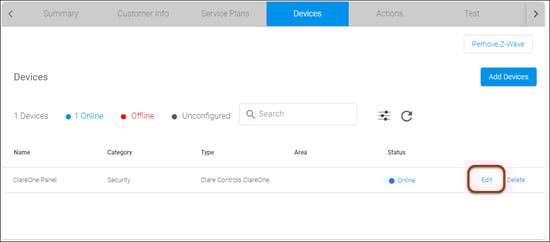
- Click the Devices tab, click Edit next to the ClareOne Panel device.
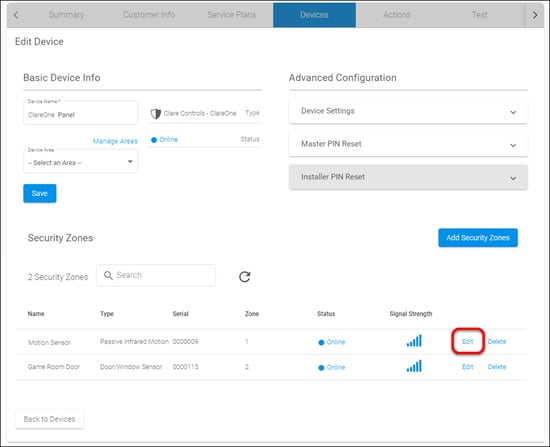
- Scroll down to view the Security Zones list, and then click Edit next to the desired zone.
The Sensor popup displays.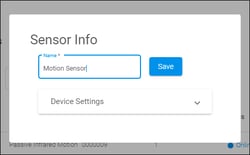
- Enter a new name for the sensor/security zone, and then tap Save.
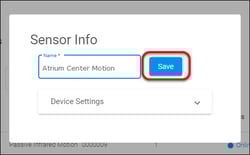
The zone name is updated in the list and on the ClareOne panel.
Full PDF - ClareOne Customizing Zone Names Tech Bulletin (DOC 1984)